



Åbn tilgængelighedsmenuen Gå til sideindhold

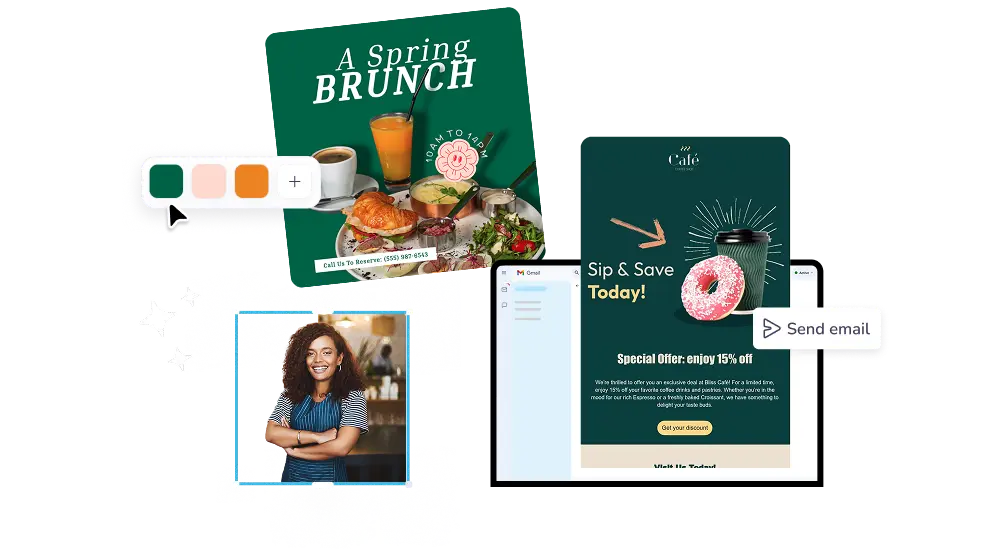
An all-in-one Email Marketing Platform

Create and send engaging email campaigns with professionally-designed email templates.


  • PosterMyWall has made my life so much easier. Previously I'd spend countless hours using Photoshop to create flyers and signage for church, but now I create personalized designs in minutes.

    Jemal Mosley
    Jemal Mosley
    Church Marketer
  • I needed to make customized menus for an event and I was so glad I found PosterMyWall. It's so easy to use and allows me to design a professional-looking menu effortlessly.

    @Herroareen
    @Herroareen
    Blogger
  • Thanks for such an easy way to create an advertisement. Provided formats were great. It sure helped me save a lot of time and effort. I created a good menu board and show cards.

    Raymond Lopez
    Raymond Lopez
    Restaurant Manager

How to create an email marketing campaign

1

Kom i gang GRATIS

Åbn PosterMyWall på din computer, mobil eller tablet for at komme i gang gratis.

2

Vælg en designskabelon

Vælg mellem tusindvis af professionelt designede skabeloner til enhver virksomhed, begivenhed eller lejlighed.

3

Tilpas din skabelon med nemme værktøjer

Tilføj dit logo, billeder, videoer, skrifttyper, klistermærker, lydklip og mere. Brug Brand Kits for konsistente designs, der matcher brandets stil.

4

Download dit design

Download gratis eller få filer i høj opløsning. Opgrader til PosterMyWall Premium-abonnement for ubegrænsede billed- og videodownloads.

5

Del hvor som helst, når som helst

Publicer på Facebook, X (Twitter), Instagram, eller send via e-mailkampagner, integrer på websteder, eller vis det på digitale skærme.

Create a free email campaign

Featured email templates for every need

Se alle e-mailskabelon-temaer

Ofte stillede spørgsmål

What is email marketing?

Email marketing is a direct form of digital marketing whereby you reach out to your customers, clients, and audience by sending emails. You can do this easily by using free customizable email templates to promote your small business, market your products and services, or to just connect with a group of people.

How to send a mass email?

You can send mass emails if you’re subscribed to the Premium or Premium Plus plan, you can send 3,000 emails and 10,000 emails per month respectively with PosterMyWall’s Email Marketing Platform.

Can I add links to my email campaign?

Yes, you can add a text link, make any element clickable, or add call-to-action buttons in the Email Maker. Add a link to any of these elements via the ‘Link’ space in the right contextual menu in our email editor.

How to start an email mailing list?

When publishing your email, add your email name and subject line then click ‘Next’. Under “Choose an audience for your campaign”, click 'Add a new audience'. Click ‘Upload CSV file’ in the ‘Add new audience’ menu to add your CSV file containing yout mailing list with emails separated by commas or columns.
Click ‘Next to continue with publishing.