









Folk elsker PosterMyWall







Choose from 5,220+ responsive email templates. Send engaging emails and maximize impact with the drag & drop email creator.
30M+
Total Users
5k+
Email templates
244
Countries & Territories
We believe design and marketing costs shouldn't break the bank. That's why we pack a punch in one affordable solution. 💪
On multiple apps


You save $119 with one subscription
The email creator gives you two ways in. Open the email templates gallery and pick a layout that fits your message, or type a prompt in Create with AI and let it build one for you. Both paths land you in the same editor, where you swap text, drop in photos, and move blocks around. Your email is ready in minutes.
AI Writer drafts subject lines and body copy in the tone you pick, so you never stare at an empty box. Want a new look? Describe the change and AI Email Redesign restyles the whole layout in seconds. Need a visual? AI Images makes one from your description. Describe, enter, done.
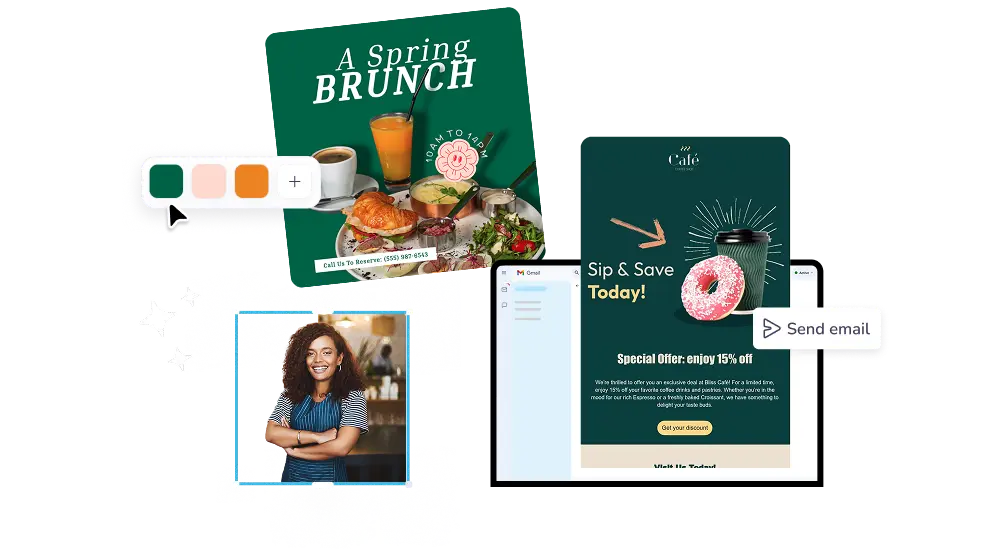
Add your mailing list and send from PosterMyWall with email campaigns, then check opens and clicks when it lands. Prefer your current provider? Download the HTML free and paste it into Gmail, Outlook, or your email service. Brand Kits keep your logo, colors, and fonts on every email you make.
Open PosterMyWall on your desktop, mobile, or tablet to get started for free.
Choose from thousands of professionally designed email templates for any business, event, or occasion.
Add your logo, images, videos, fonts, stickers, audio clips, and more. Use Brand Kits for consistent, on-brand designs.
Download the email HTML for free or preview your email on desktop, tablet and mobile to see how it would look on different screens.
Add a mailing list and send your email straight from PosterMyWall.
From seasonal greetings to special promotions, find email designs by type, theme, or season to keep your marketing fresh year-round.


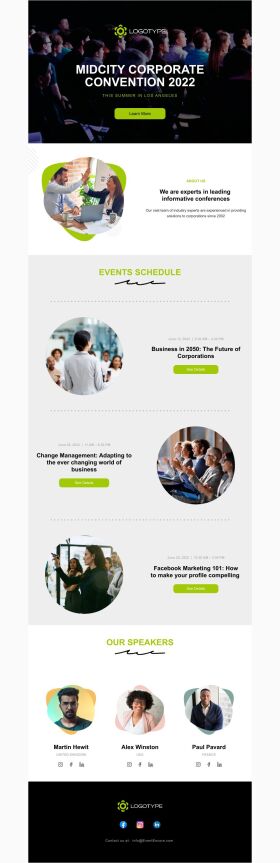


An email creator is an online tool for designing and sending marketing emails, from newsletters to sale announcements. PosterMyWall's email creator combines templates, a drag-and-drop editor, AI writing, and campaign sending in one place. You design the email, add your list, and send it without switching apps.
No. PosterMyWall does not create email accounts or email addresses. For a new email id, sign up with a provider like Gmail, Outlook, or your domain host. PosterMyWall designs and sends the emails you write from the address you already own.
Yes, designing emails on PosterMyWall is free. Open any template, edit it, and download the HTML at no cost to send through Gmail, Outlook, or your email service provider. Sending campaigns from PosterMyWall needs Premium, which includes 3,000 email sends a month, or 10,000 on Premium Plus.
Start from a professionally designed template, keep one clear message and one call-to-action button, and use your own logo, colors, and fonts. PosterMyWall's editor handles the layout and spacing for you, and every email template is built to read well on phones as well as desktops.
Yes. PosterMyWall works as a newsletter creator: pick a newsletter template, add your stories, images, and links, then schedule the send. Content Planner shows every newsletter and social post on one calendar, so you can plan a month of sends in one sitting.
Yes. You can download or copy any design from the PosterMyWall html email creator as HTML, then paste it into Gmail, Outlook, Mailchimp, or any email service provider. The code stays responsive, so your email keeps its layout on phones, tablets, and desktop inboxes.
Yes. Describe what you want to send and Create with AI builds the email, layout and copy together. AI Writer handles subject lines and body text on their own, and AI Email Redesign restyles a finished email when you describe the change you want.
Yes. Save your logo, brand colors, and fonts once in Brand Kits and apply them to any company email in two clicks. Small business email templates cover announcements, offers, hiring notices, and monthly updates, so your company emails look consistent from the first send.
You do not need to write code. Pick a ready template and the design work is already done, or type a prompt and AI builds the email for you. Everything happens in a drag-and-drop editor in your browser, so you edit text and images the way you would in a slide deck.
Yes. The PosterMyWall app for iOS and Android opens the same email creator you use on the web, with your designs and Brand Kits already there. Start an email on your laptop at the shop, finish it on your phone, and send it when you are ready.

Gradient fra PosterMyWall



© 2010-2026 250 Mils LLC. Alle rettigheder forbeholdes.




